
Behaviour Engagement and Monitoring System - BEAMS
Navigate to the SWIS Login.
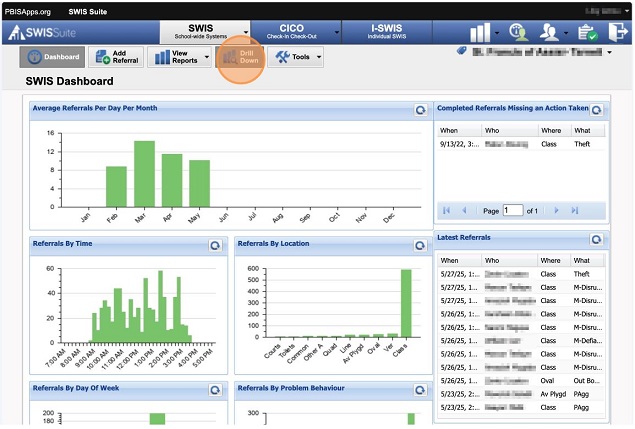
From the Main SWIS menu on the top navigation menu Click the Drill Down menu option.
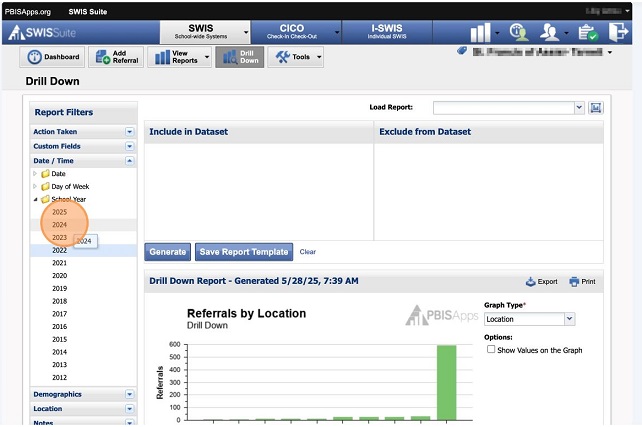
Once the Drill Down Screen opens, expand the Date / Time Report Filter on the Left Navigation Bar then expand School Year.
Double Click each year that you wish to export (including this year).
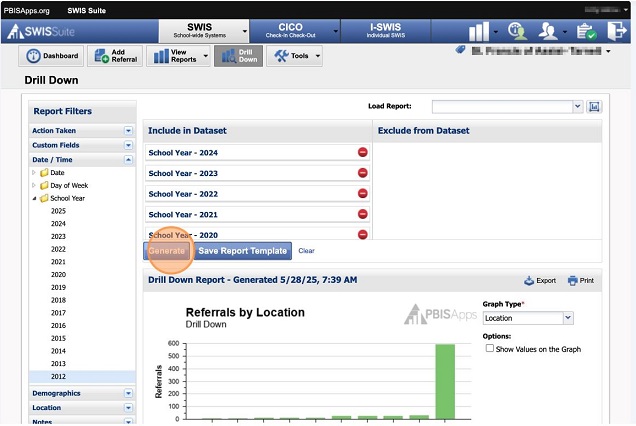
Once all the School Years have been included in the dataset for the report.
Click the blue Generate button in the centre of the screen.
Once the report has been generated, Click the Export button to complete the process.
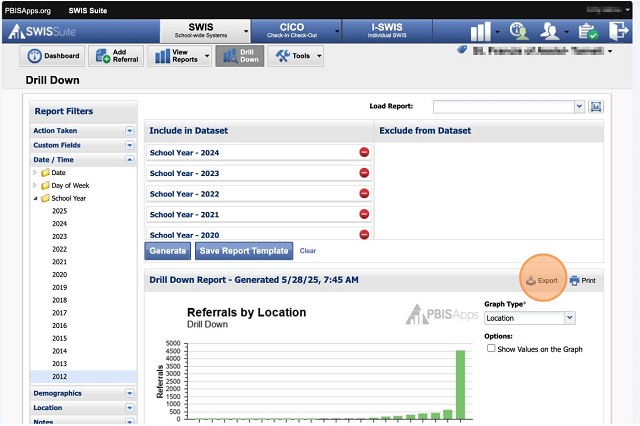
The exported file should save to your Downloads folder.
Email this file to [email protected] and our support staff will upload your schools historic SWIS referral data into BEAMS.